Every Meeting. Every Follow-Up. One Calendar.
The command center of your WhatsApp Business OS. Schedule discovery calls, onboarding meetings, and automated WhatsApp follow-up drips contextually linked to client CRM profile cards.
- Schedule calls & meetings in seconds
- Plan WhatsApp messages to chase & follow up
- Filter by status, date & time
- Instant WhatsApp chat from any event
📹 Full walkthrough — Calendar Dashboard in action
WhatsApp moves fast. Follow-ups get buried. Leads go cold.
A planned WhatsApp message is often the difference between closing a deal and losing it. Schedule your chase, your check-in, your nudge — and let the calendar make sure it happens.
5 Event Status Tabs
Always Know Where Every Event Stands
Filter your calendar by status so you focus on what matters — not everything at once.
Active, upcoming, or pending events — your current to-do list.
Successfully completed events. Review achievements and past sessions.
Scheduled but not acted on — surface opportunities to reschedule.
Intentionally cancelled by you or a team member.
Every event in one view, regardless of status.
Event Cards
Every Event Card Tells the Full Story
No need to open a separate window — every key detail is right on the card.
Contact Name
Click to open the full WhatsForm profile — chat history, status, tags, and more.
Event Title
Describes the event purpose, e.g. "Call - Discovery Call" or "Meeting - Demo Meeting".
Type & Status
Shows whether it's a Call, Meeting, or Message — and its current status (Open, Closed, etc.).
Scheduled Time
Precise date and time for the event, e.g. "Today, 05:00 PM".
Description
Key context for the event, e.g. "Understand the lead's business, needs, and urgency."
Scheduled By
Name of the team member who created the event — for clear accountability.
Rashi Agrawal
Call – Discovery Call
Today, 05:00 PM · Understand the lead's needs and urgency.
Ca Bc Chechani
WhatsApp – Follow-Up Nudge
Today, 11:00 AM · Check if proposal was reviewed.
Smarty Software Pvt. Ltd.
Meeting – Demo Walkthrough
Yesterday, 10:00 AM · Live walkthrough of WhatsForm with screens.
+ Add New Event
Ca Bc Chechani
918875627151
Event Category
Select a subject...
Quick Actions
Act on Any Event in Two Clicks
Four action buttons on every event card — no need to navigate elsewhere.
Chat
Instantly open a WhatsApp conversation with the contact — fully integrated, no tab switching.
Info
View agenda notes, internal tags, and team comments before a call — get up to speed fast.
Reschedule
Pick a new date/time, add a comment (e.g. 'Contact requested reschedule'), and confirm. Calendar updates instantly.
Mark Complete
Close the event with an optional comment (e.g. 'Demo confirmed'). Status moves from Open to Completed.
DASHBOARD OVERVIEW
A Clear Timeline of Every WhatsApp Event — for Your Whole Team
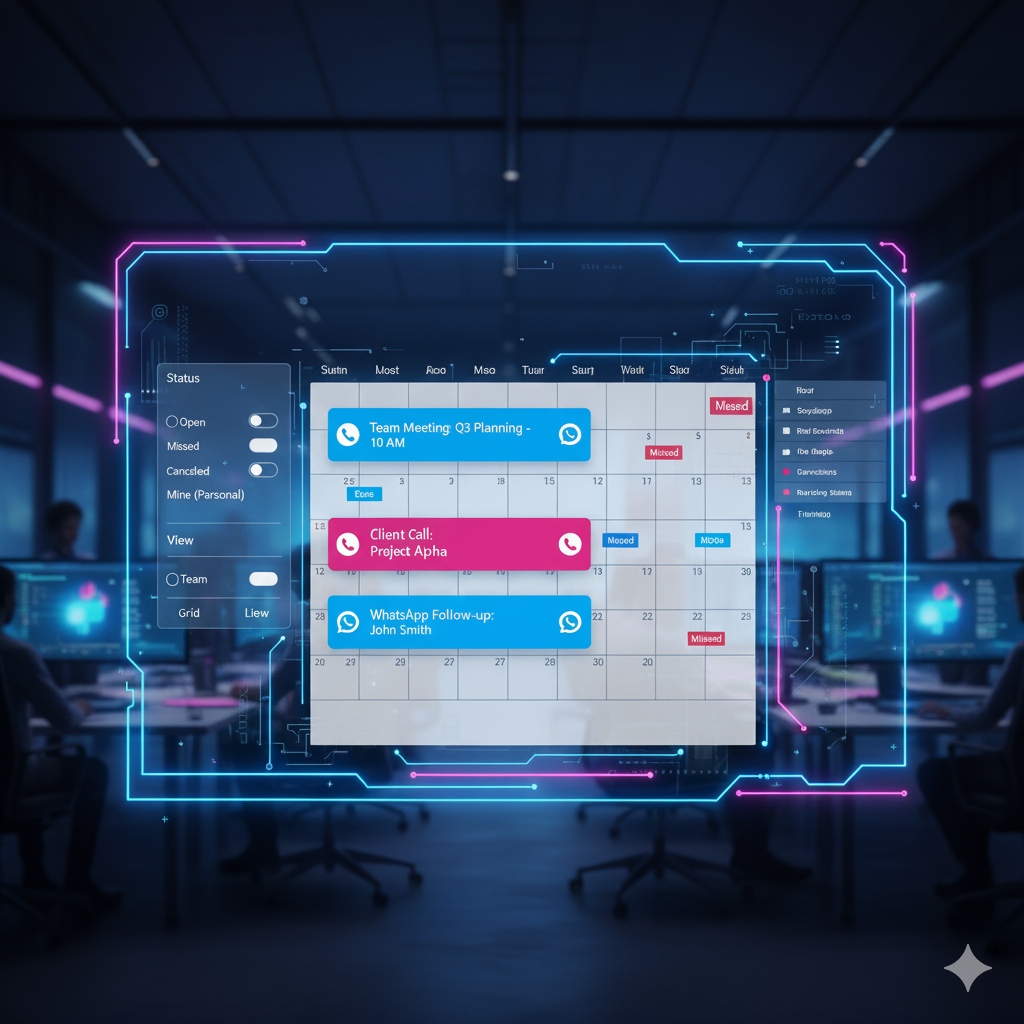
Every scheduled call, meeting, and demo lives in one place. Filter by event status, toggle to your personal view, search by subject, or drill down with advanced filters — so you always see exactly what needs your attention right now.
- 5 status tabs: Open, Closed, Missed, Cancelled, All
- 'Mine' toggle — instantly filter to only your events
- Search by event subject to find anything in seconds
- Filter by contact status, category, date range, and time of day
- Switch between Card View and List View
- Full team schedule in one shared dashboard
SMART FILTERS
Find the Right Event in Seconds — Not Minutes
Besides the search bar, the Filter tab gives you precision control. Filter by contact status (e.g. 'Demo Completed'), event category (Calls vs Meetings), date range (Today, This Week, This Month, or Custom), and time of day (Morning, Afternoon, Evening) — so you always see exactly what you need.
- Search by event subject — pull up 'Discovery Call' or 'Demo Meeting' instantly
- Filter by contact status: 'Interested', 'Demo Completed', and more
- Filter by category: Calls, Meetings, or WhatsApp Messages
- Date filter: Today (default), This Week, This Month, or Custom Range
- Time filter: Morning, Afternoon, or Evening blocks
- Reset all filters with one click

ACTION BUTTONS
Act on Any Event Instantly — Right from the Card
Every event card has four quick-action buttons that give you full control without leaving the calendar. Chat on WhatsApp, review notes, reschedule with a comment, or mark complete — all in two clicks.
- 💬 Chat — open a WhatsApp conversation with the contact instantly
- ℹ️ Info — view agenda notes, team tags, and custom comments
- 🔄 Reschedule — pick a new time, add a reason, confirm in seconds
- ✅ Mark Complete — close the event and log a completion note
- Status updates live: Open → Completed or Cancelled
- Full event log maintained for team accountability

ADD NEW EVENT
Schedule Any Call, Meeting, or Demo in Under a Minute
Click '+ Add Event', pick your contact, and choose an event type: Call, Meeting, or a Planned WhatsApp Message. A planned message is one of the most powerful tools to stay in touch — schedule a check-in, a follow-up nudge, or a chase message for exactly the right moment, so no lead goes cold.
- Search and link the contact by name or phone number
- 📞 Call — schedule a call with date, time, and agenda
- 🤝 Meeting — plan a demo, onboarding, or review session
- 💬 Planned WhatsApp Message — schedule a follow-up, chase, or check-in for exactly the right moment
- Add subject and description so the context is never lost
- Event is instantly visible to the team, linked to the contact's chat

💬 WhatsApp is where conversations start. WhatsForm is where they stay on track.
One click on Chat opens a live WhatsApp conversation — from any event card, without switching tabs.
WhatsApp Talks. WhatsForm Tracks. Calendar Keeps It Together.
Integrating your schedule directly into your WhatsApp workflow delivers results you can measure.
Zero Missed Follow-Ups
Every scheduled event is visible, actionable, and tracked. Missed events surface automatically so no opportunity slips through.
Full Team Visibility
Managers see the whole team's schedule. Individuals see only their own. Everyone operates with the same live data.
Instant WhatsApp Access
One click on the Chat icon opens a WhatsApp conversation with the contact. No number digging, no tab switching.
Flexible Rescheduling
Life happens. Reschedule any event in seconds, add a reason, and keep the team aligned — all from within the calendar.
Purposeful Every Time
Event descriptions and notes ensure every call has a clear objective. Your team walks in prepared, not winging it.
Clear Accountability
Every event shows who scheduled it and who it's assigned to. Handoffs are clean, ownership is clear.
Turn Your Calendar Into Your Strongest Workflow Tool.
Stop losing follow-ups in a fast-moving chat feed. WhatsForm Calendar gives structure, visibility, and action to every WhatsApp interaction.
Ready to Transform Your WhatsApp Business?
Connect today for a personalized demonstration and see how WhatsForm can enhance your business communication.